Minecraft Dungeons II guide
Read your loadout, one layer at a time
Read your loadout in layers: four armor pieces, passive talismans, enchantment effects, and equipment power each solve a different problem. Start with the slot and the job, then decide whether a smith can make the piece better.
Minecraft Dungeons II expands the combat loadout from six to twelve slots. That makes a simple comparison order more useful than replacing items by a single number.
On this page
What each layer does
Armor includes a helmet, chestplate, leggings, and boots. Talismans give passive bonuses. Enchantment effects are applied to gear through the Enchantsmith. Keep those questions separate when you inspect a drop.
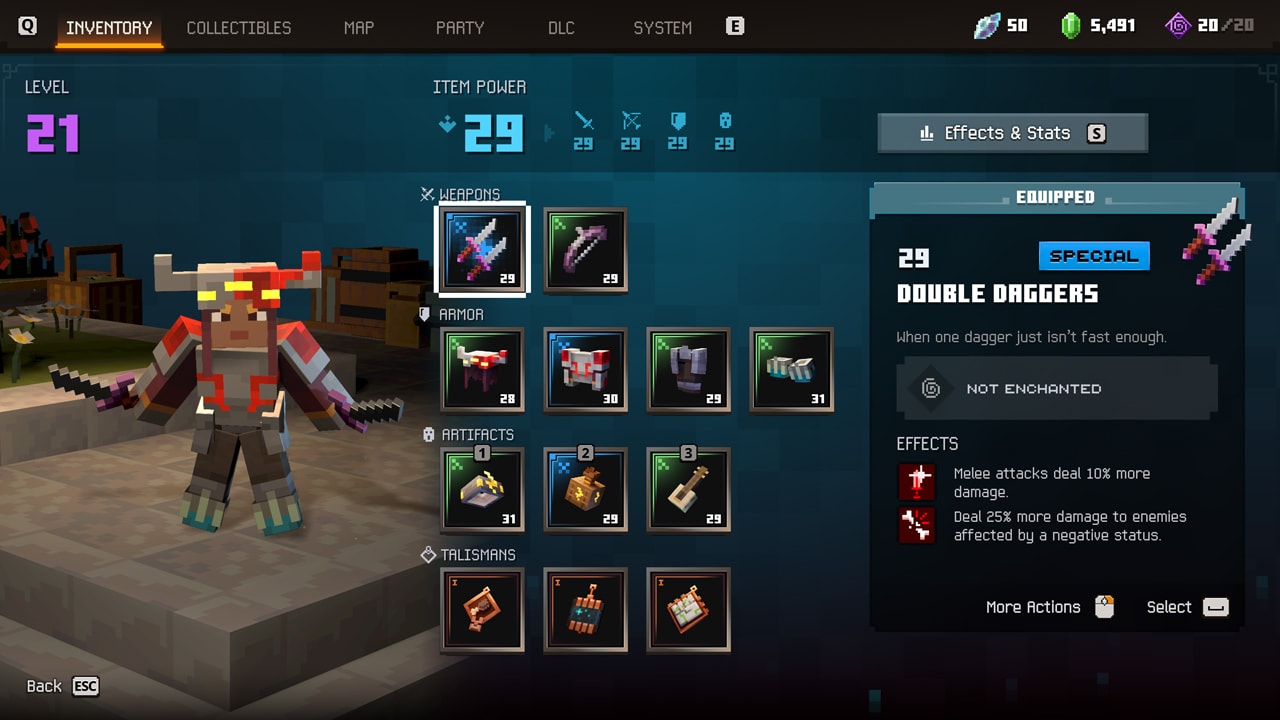
Use the preview inventory to spot the layers
The preview inventory on this page visibly separates armor, artifact, and talisman spaces. It also shows an Effects & Stats entry. Treat the layout as a preview illustration of categories rather than a complete launch interface or a source for its numbers.
Compare a new piece in this order
Ask whether the piece fills the slot and job you chose. Then check its passive or applied effect, how it fits your other effects, and whether it has earned an upgrade decision.
- 1. Slot and roleWhat part of the loadout would this item change?
- 2. Effect you will useWhich action or party job would the effect support?
- 3. Other effectsDoes it make sense alongside what you already use?
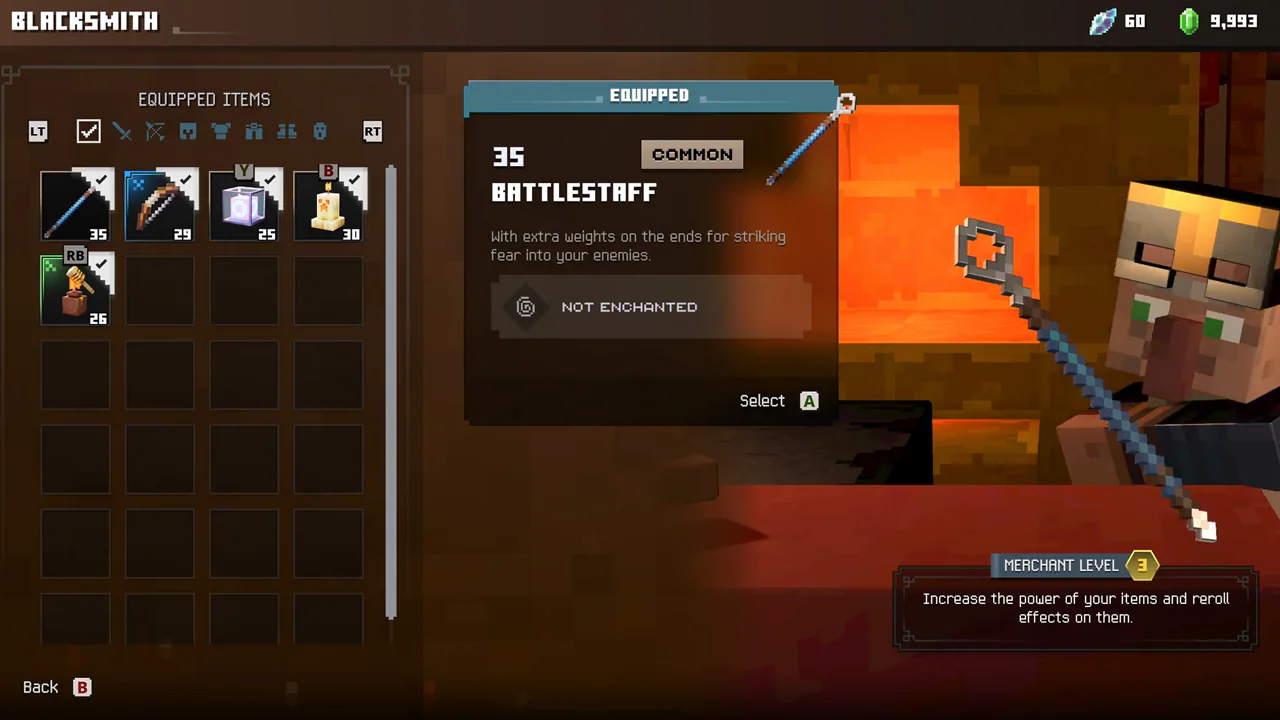
- 4. Upgrade questionCheck the current Blacksmith option before replacing a preferred item.
Choose the right smith for the change
In the Gamescom preview, the Blacksmith raised equipment to the highest power currently available to the player and rerolled built-in equipment buffs. If you like the item's job but need power or a different built-in buff, inspect the Blacksmith choice. A library effect is an Enchantsmith decision instead.